
AI dance video generator: make an original dance from a photo
Use one adult photo to create a 15-second original dance. Prepare a full-body image, keep the motion brief and check the feet, face and music before sharing.
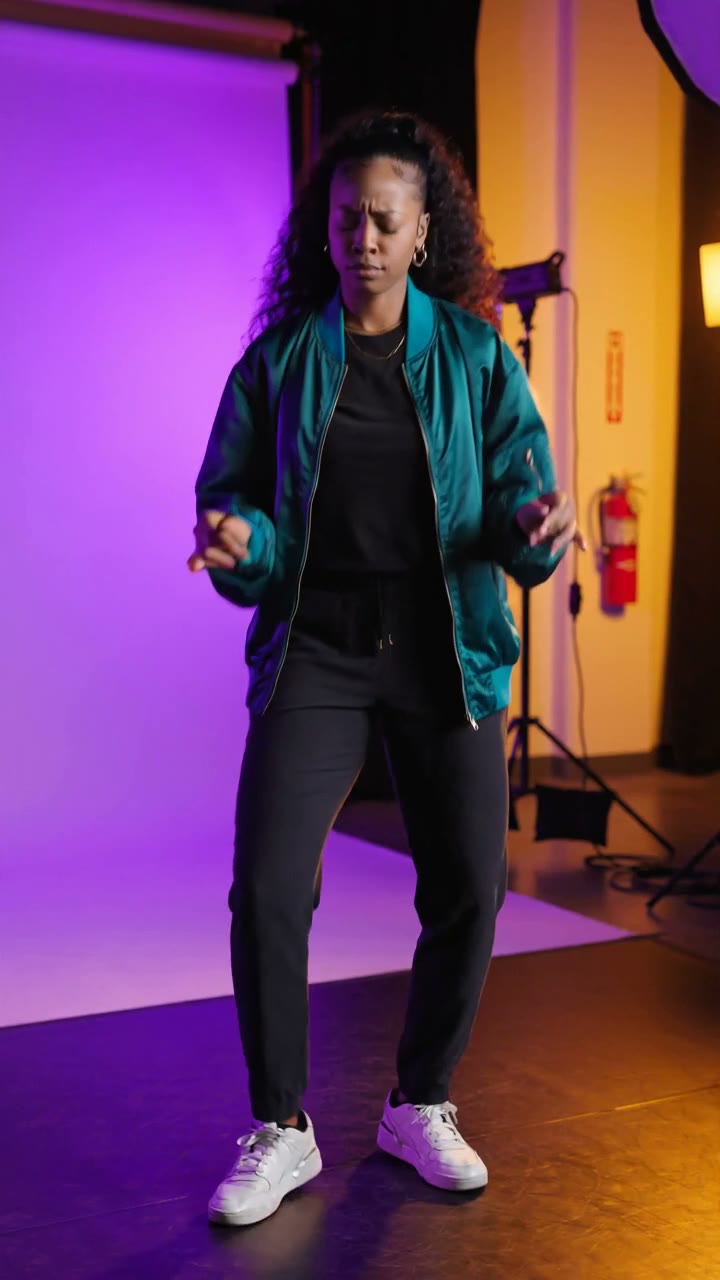
For a photo-to-dance video, keep the feet in the picture. A portrait can show the face beautifully while telling the generator very little about the person's stance. A clear standing photo gives it a better starting point for the full-body scene.
The Original Dance generator in Raindance AI turns one adult photo into a 15-second studio performance. The planned movement is restrained: step-touches, a shoulder groove and a small step forward before a final pose. Original house-pop music is generated with the clip.
What this generator uses
You provide a photo. The template supplies the scene, movement sequence and music brief. There is no reference-video upload in this workflow, so you do not need to find or film a dance clip first.
That also sets the expectation for the result. The generator creates its own motion from the brief. It will not reproduce the exact choreography of a TikTok video, match another dancer frame for frame or transfer the timing of an existing performance. If precise choreography is your goal, this template is not the right fit.
The public URL still ends in dance-swap, but the template displayed on the page is Original Dance.
Prepare the standing photo
Choose a picture of one consenting adult, facing the camera, with the arms and legs distinguishable from the body. Leave room above the head and below the shoes. Avoid a pose with crossed legs or one foot hidden behind furniture.
The scene brief includes a teal jacket, dark trousers and sneakers. Treat the template preview as a guide to the intended styling, rather than expecting it to preserve every detail of the outfit in your upload. Face likeness and body proportions also need checking in the finished clip.
You do not need a professionally shot image. Even light, a visible face and a straightforward pose matter more than a complicated background.
Create the clip in the studio
Open the Original Dance studio, upload the photo and review the preview and displayed cost before starting. If you add a prompt, keep it consistent with the small movements already planned.
A useful direction is: "Keep the steps small and the shoulders relaxed, with both feet visible." A request for fast spins or repeated jumps conflicts with the template's deliberately simple choreography. The camera is intended to stay in a steady full-body view.
Generation is paid. Check the current video packs if you need more creations; a preview does not show exactly how your own photo will turn out.
Review the motion before sharing
Watch the feet first. Do they stay connected to the floor, or does the performer slide between steps? Then check the knees, hands and face through the middle of the clip, where the movement is most noticeable. A convincing opening frame does not tell you whether the whole video holds together.
Listen with the sound on. The template asks for an original house-pop groove, but each generation can produce a different melody and timing. It does not supply a fixed recording of a popular track.
For two people, use the Gas Station Dance generator. It has separate left and right photo slots and a neon-night setting. Putting two people into the single-photo Original Dance template is not a substitute for those two slots.
Keep exploring
Hotel Lobby AI generator: prepare two photos for a studio duet
Choose photos for a Hotel Lobby AI duet, set the left and right performers, pick a studio scene and review faces and music in the generated video.
Read more
Singing cat AI video generator: choose a photo that works
Make a 15-second singing-cat video from one photo. Learn how to choose the image, guide the performance and review the original music and mouth movements.
Read more