
Singing cat AI video generator: choose a photo that works
Make a 15-second singing-cat video from one photo. Learn how to choose the image, guide the performance and review the original music and mouth movements.
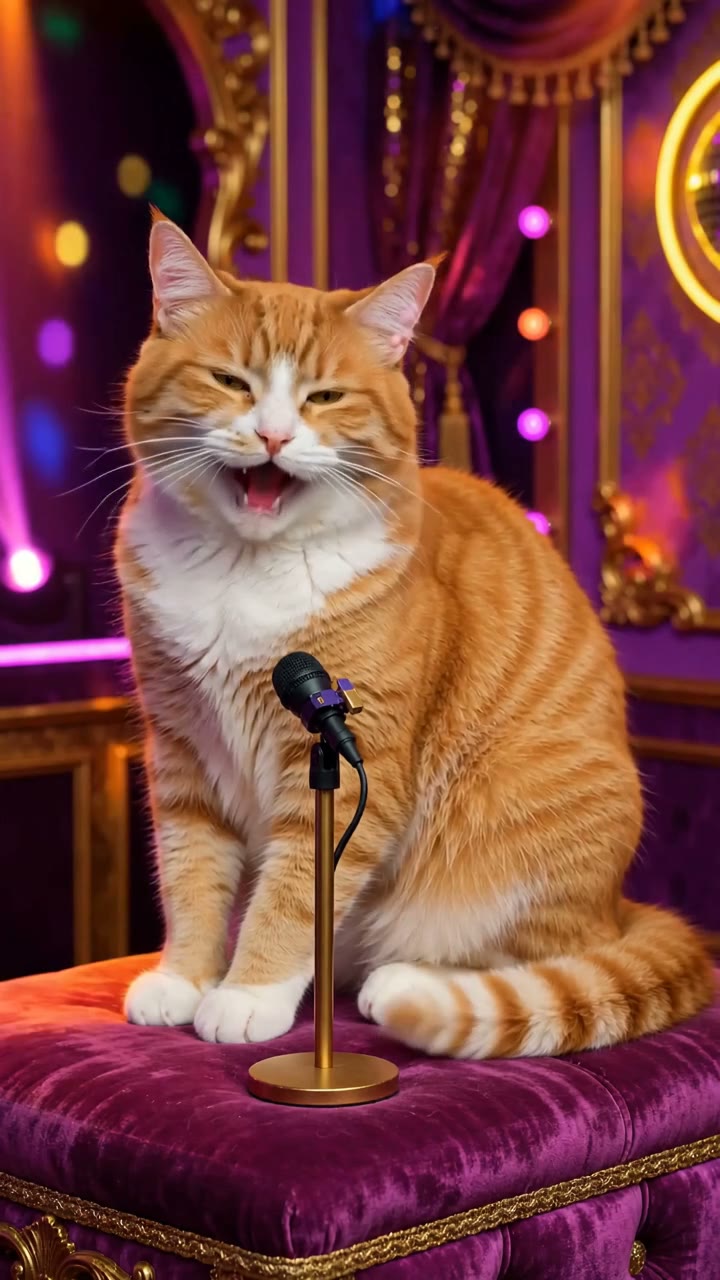
A good singing-cat clip starts with a photo where you can actually see the cat. Ears, muzzle, fur markings and front paws give the generator something to work with. A cute close-up that cuts off half the head is a harder starting point.
Raindance AI's Singing Cat generator uses one pet photo to make a 15-second disco performance. The template asks for a seated cat, small head movements and an original meow melody over a nu-disco backing track. You upload a picture; the scene and music direction are already set.
Choose a photo with room around the face
Use one cat per image. A front-facing or nearly front-facing photo in natural light is a sensible starting point. Keep the ears in frame, show the muzzle clearly and leave some space around the body. If the cat is seated with its front paws visible, the photo is close to the pose the template describes.
Skip heavy beauty filters and stickers across the face. With long-haired cats, look for a shot where the eyes and mouth are still easy to distinguish from the fur. For a dark-coated cat, choose a background that makes the head outline visible.
These are preparation tips, not a guarantee that every marking will stay unchanged. Check the generated face against your original photo before sharing.
Make a singing-cat video
-
Open the Singing Cat studio.
-
Upload your cat's photo and review the template preview.
-
Keep any extra direction brief. The template already specifies the stage, camera and musical style.
-
Review the creation cost shown in the studio, then generate.
-
Play the result with sound on. Check the cat's face, paws and mouth movements before downloading the MP4.
For a small personalization, try: "Keep the cat seated, with a gentle head tilt and one small paw tap." Requests for a costume change, a camera spin and a different location all in the same clip give the model more things to resolve. Start with the existing scene and judge that result first.
What the music should sound like
The musical brief calls for a springy bassline, a steady disco kick, handclaps, rhythm guitar and a short meow refrain. The template keeps that direction across generations. It does not reuse one fixed audio recording: the melody, timing and mix can change.
This is an original animal-sound performance. It does not include a named commercial song, a human singer's voice or exact synchronization to lyrics. Small jaw movements are part of the brief; perfect alignment with every note is not promised.
Listen to the whole clip before adding another soundtrack in your editing app. Two tracks playing together can make the result sound muddy. If you replace the generated audio with a platform sound, preview the final mix there as well.
When the cat looks different
If the muzzle shape or fur pattern drifts, compare the source image and result side by side. An obscured face or tight crop is worth correcting before paying for another generation. If the photo is already clear, simplify any added direction rather than adding more action.
For a different musical mood, the Singing Dog template uses a pop-punk brief. To put a cat and dog in one scene, choose Pet Duet, which has a separate photo slot for each animal.
Keep exploring
Hotel Lobby AI generator: prepare two photos for a studio duet
Choose photos for a Hotel Lobby AI duet, set the left and right performers, pick a studio scene and review faces and music in the generated video.
Read more
AI dance video generator: make an original dance from a photo
Use one adult photo to create a 15-second original dance. Prepare a full-body image, keep the motion brief and check the feet, face and music before sharing.
Read more