
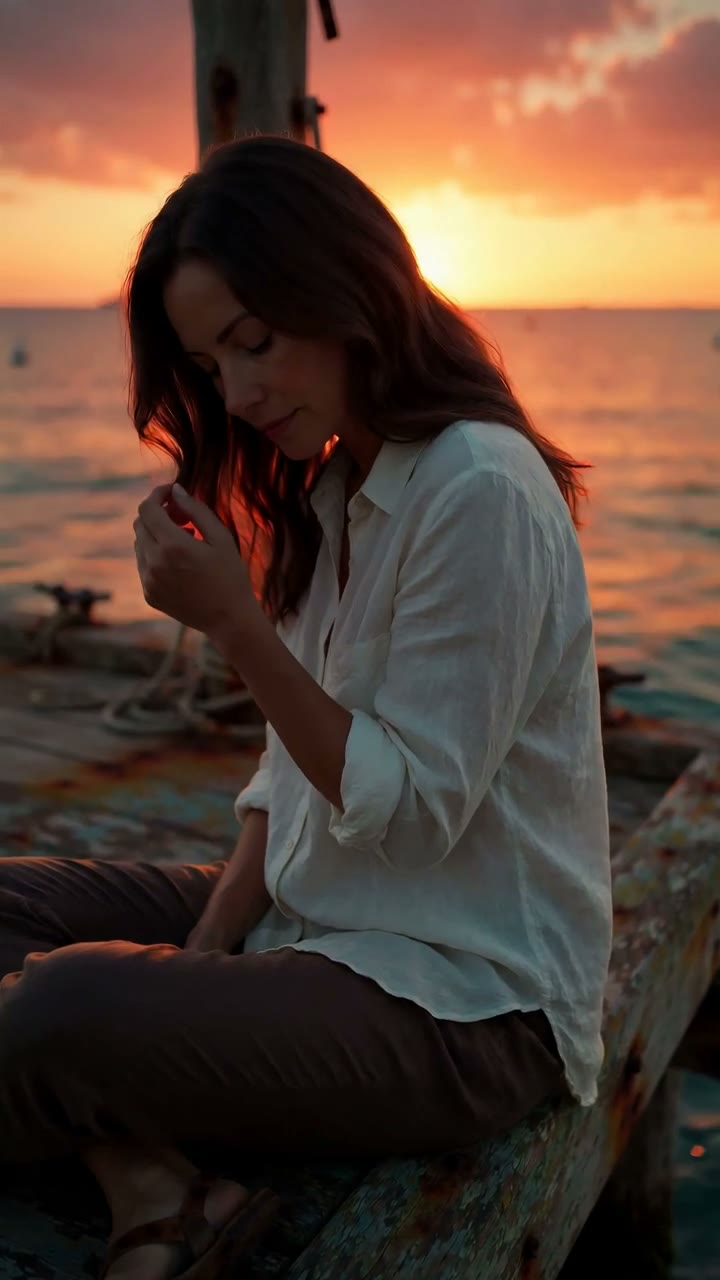
Golden-hour pier
A solo scene on a wooden pier at sunset, with relaxed movements and original music.
Open Studio →Create a 15-second sunset, rainy-pier or reception video from your photos, with a warm original R&B groove.
Upload the photos requested by your scene, choose portrait or landscape, and generate a 15-second video with original music. Your photos guide the subjects; the scene and motion instructions guide the performance. No reference video is uploaded.
Examples illustrate the scene and musical direction. Our previews were produced separately; they are not customer-photo results or a promise of identical movement.
Create a relaxed seaside portrait or a two-person memory, choosing sunset warmth, rainy atmosphere or reception lights.
A solo scene on a wooden pier at sunset, with relaxed movements and original music.
Open Studio →Light summer rain, wet boards and a silver sky. It suits the slower verses and reads well on dark-mode feeds.
Open Studio →A two-person scene by the water under warm string lights.
Open Studio →Choose sunset or rain for a solo scene, or reception lights for two people. Prepare one clear adult portrait for each photo slot. Keep faces unobstructed and use similar lighting for a pair. Select the scene before uploading so you can check how many photos it needs.
Keep the face well lit. Review the eyes and hairline during camera movement, especially when two people share the frame.
An independent tool. Not affiliated with Dave, Tems, their labels, TikTok or the Raindance Film Festival.
One person per photo, face clear and facing the camera. Upload the number of photos requested by your chosen scene.
Choose golden-hour pier, rain on the pier or reception lights. Preview the scene video before generating.
Download the MP4, add the Raindance sound in TikTok or Reels, and switch on the AI-generated label.
Step-by-step Raindance AI tutorial: pick a clear photo, choose a pier scene, generate a 15-second clip, then add the Raindance sound and AI label on TikTok.
Choose a clear portrait for Raindance AI. Compare lighting, crops and face visibility, then match each photo to the scene's upload slots.
Troubleshoot face drift in Raindance AI: check the reference photo, person slots, scene movement and extra requests before trying another generation.
The Raindance AI trend prompt for golden hour, rain and reception lights, plus a duet version. Copy it, see why each line matters, and fix the common mistakes.
Browse Raindance scene previews and prompts for free. Personalized videos on this site use paid creations. Compare photo editors, trial offers and DIY tool credits.
Raindance is not an AI song. It is by Dave featuring Tems, released October 2025 and a UK No. 1 in January 2026. Here is why the trend is called Raindance AI.
Download your Raindance MP4, review its audio, add an available platform sound and check framing, timing and AI disclosure before posting.
Choose sunset or rain for a solo scene, or reception lights for two people. Prepare one clear adult portrait for each photo slot. Keep faces unobstructed and use similar lighting for a pair. Select the scene before uploading so you can check how many photos it needs.
No. "Raindance" is a real song by Dave featuring Tems, from the album The Boy Who Played the Harp. It reached No. 1 on the UK Singles Chart in January 2026. "AI" in the trend name refers to the AI-made videos people post with it.
The video includes original AI-generated music shaped by the template. It does not contain the original song or an artist voice. The melody may vary each time.
No. Lip movements are not synchronized to song lyrics. Review the motion in your generated clip before sharing.
A sharp photo of one person, face clear and looking at the camera, from the shoulders up. Far-away shots, sunglasses, heavy filters and group photos make the face drift.
Choose a scene that shows two photo slots. Upload one separate photo for each person and follow the photo-slot labels.
Processing time varies. Follow the task status in Studio; a fixed completion time is not guaranteed.
Yes. TikTok asks creators to label realistic AI-generated content. Turn on the AI-generated content label when you post.
Only with their permission. Do not upload photos of people who have not agreed, of minors, or of public figures.
Your photos are stored with your account and used only to make your videos. Contact support to have them removed.
Yes. Choose 9:16 for vertical feeds or 16:9 for a wider scene in the studio. Both produce a 15-second MP4 at standard resolution and use the same number of video creations.
One submitted generation uses one video creation. You need an available video pack; previews can be watched before purchase. A confirmed technical failure restores the creation used. See pricing for the current packs.
Successful videos can be downloaded as MP4 files. X and Reddit can prefill text and a playback-page link. Instagram, TikTok and YouTube may still require uploading the file; opening a share destination does not automatically publish it.
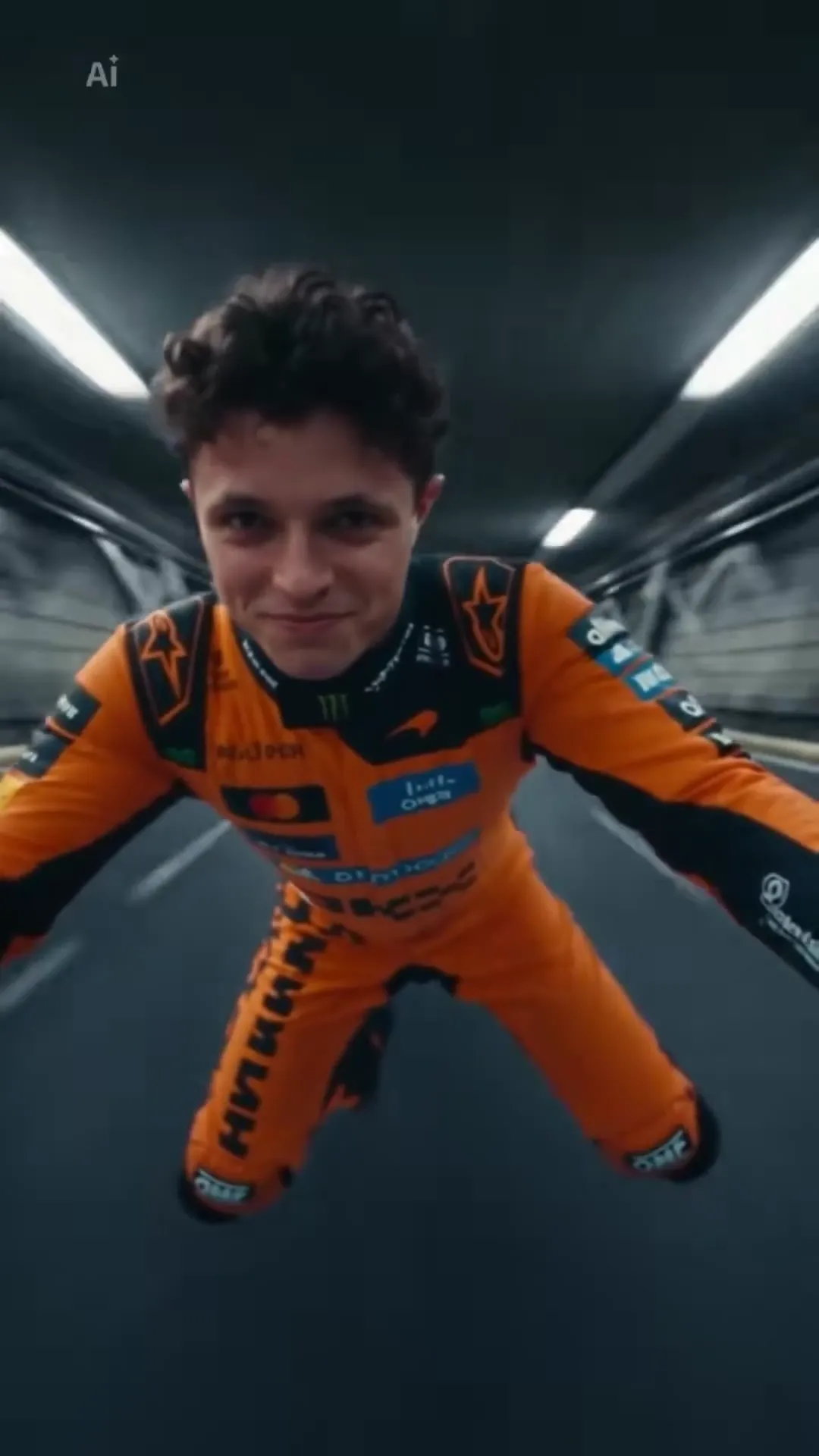
External trend example by Reeldo AI. Not generated by Raindance AI.
Make a Crazy Frog-inspired imaginary ride from one adult photo: a comic riding pose, a neon tunnel and an original electronic beat. No reference video needed.
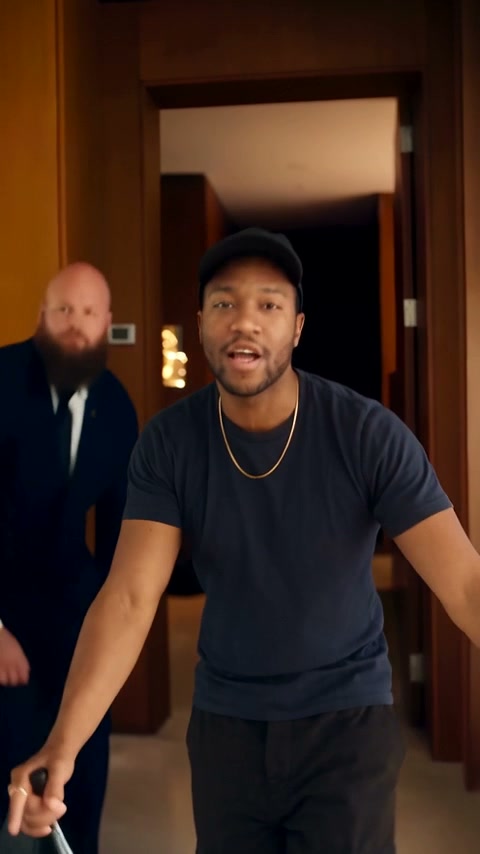
External trend example by Starrd. Not generated by Raindance AI.
Turn one adult photo into a Popstar-inspired mansion entrance, with a confident walk, a camera-ready pose and original hip-hop music.
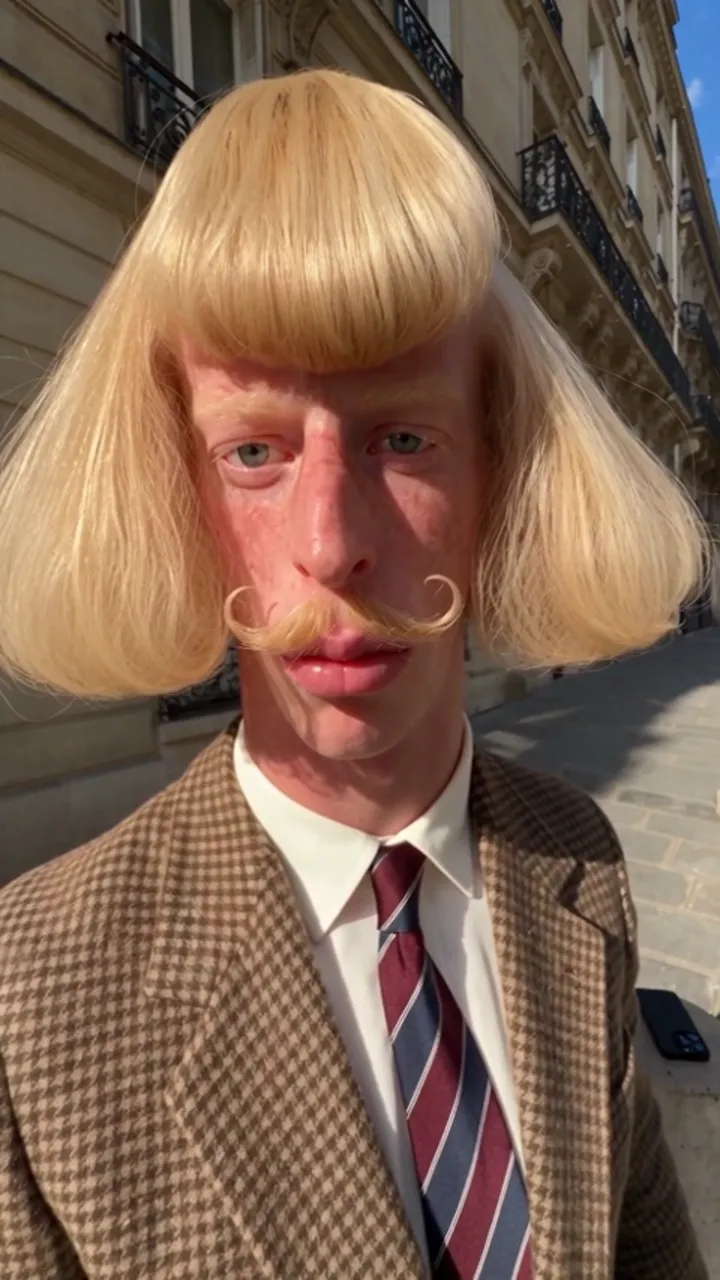
External trend example by Jean Phil AI. Not generated by Raindance AI.
Create a Jean Phil-inspired boxing meme from one adult photo: a tailored suit, comic shadowboxing on a Paris street and a deadpan stare.
The generator creates original music with a consistent style for each template. Melodies, movement and timing can vary. It does not supply a commercial song or clone an artist’s voice. Review the full clip before sharing, and use the destination platform’s AI-content label when required.
Use the references below to check the facts and rules mentioned on this page.
Check the photo slots, accepted file formats, output options and audio note for the selected scene.
Explains the labeling requirements for realistic AI-generated images, audio and video.
Explains disclosure for realistic content created or meaningfully altered with AI.
References provide context, not endorsement of this service. Platform rules may change; check the current policy for your account and intended use. Report a correction
An independent tool. Not affiliated with Dave, Tems, their labels, TikTok or the Raindance Film Festival.